
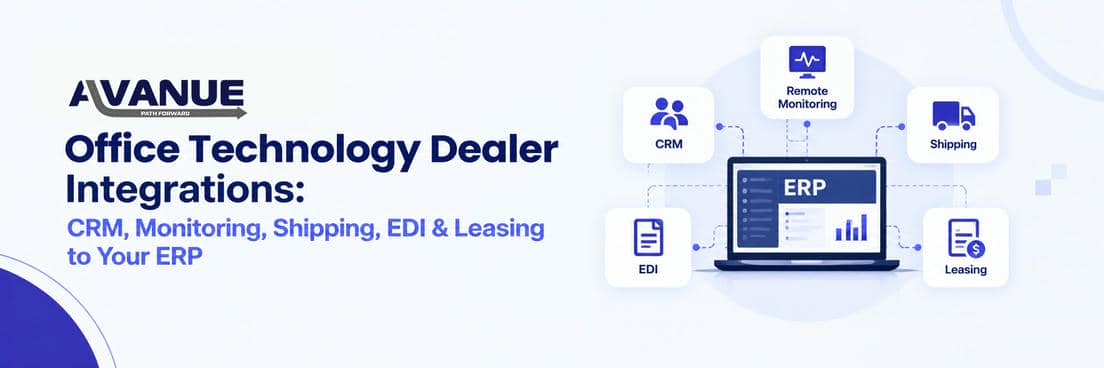

Office Technology Dealer Integrations: Connecting CRM, Remote Monitoring, Shipping, EDI and Leasing to Your ERP
An office technology dealer's ERP should connect to the tools that run daily work: CRM, remote device monitoring, shipping, EDI, leasing and payments. When these systems share data, staff stop re-typing customer, order and meter details. When they don't, every handoff becomes manual work and a chance for errors.
Why more software often means more work
Copier and MPS dealers rarely run on one application. A typical dealership uses separate tools for sales, device monitoring, shipping, leasing and payments. As more dealers add managed IT and operate like IT service providers, the stack keeps growing. Many now run a hybrid cloud environment, with cloud-native tools such as remote monitoring alongside on-premise systems, and ERP integration has to work across both.
The problem starts when they don't talk to each other. A salesperson updates a customer address in the CRM. Service and billing still have the old one. Someone re-enters it, someone else checks it, and an invoice goes to the wrong place anyway.
Each task looks small. Across hundreds of customers and thousands of devices, it adds up to hours of duplicate entry every week and managers who cannot see the full picture.
The integrations that matter most for dealers
- Remote device monitoring brings meter reads, toner levels and service alerts into the ERP, so no one keys reads or calls customers about toner.
- CRM and quoting turns a won deal into an order and contract without re-entry.
- EDI with suppliers exchanges purchase orders, invoices and ship notices electronically instead of by email.
- Shipping and leasing keep tracking numbers and lease terms in the ERP instead of in carrier sites and spreadsheets.
6 questions to evaluate your ERP integration fit
- Data consistency: Is customer, device and contract data entered once and shared?
- Workflow continuity: Can staff complete a process without switching between systems?
- Visibility: Can managers see sales, service, inventory and billing in one place?
- Scalability: Can you add new tools as you grow into managed IT, cloud services or new product lines?
- Support: Who maintains each integration when a connected system updates?
- API governance: Are API connections documented, secured with the right permissions and monitored, so you know who can access data and what happens when a connection fails?
Not every tool needs to connect to every other tool. Connect the handoffs that cost the most time or cause the most errors.
How Avanue connects dealer operations
Avanue is Avaniko's division for managed print and office technology dealers. Its All-in-One platform is a web-based layer on SAP Business One that runs CRM, sales, warehouse management, service, contracts and finance.
Avanue integrates with third-party tools dealers already use. Remote monitoring integrations bring meter reads and supply alerts into contract billing and supply workflows. Shipping integrations connect order processing with carriers. EDI integration connects electronic transactions with participating trading partners.
For example, when a deal closes, the customer and equipment details entered by sales can carry through to the order, the shipment and the service record, instead of being typed again by each team.
How to audit your current integrations in 5 steps
- Map one workflow end to end, such as order to delivery to invoice.
- Mark every manual handoff, where someone copies data, switches systems or asks a colleague for an update.
- Rank the bottlenecks by time spent, error rate and customer impact.
- Check technical requirements: APIs, security, maintenance ownership and costs.
- Measure before and after: processing time, data-entry errors and order turnaround.
Build a stack that grows with you
More software does not make a dealership more capable. Connected software does.